 TradeCore
Every asset, defect and photo on the client's register before you leave site.
- Capture
- Photo the nameplate, the details fill in
- Tag
- QR on every unit, scan for its history
- Report
- A live portal your client logs into
No card needed. Works on any phone, iPhone or Android.
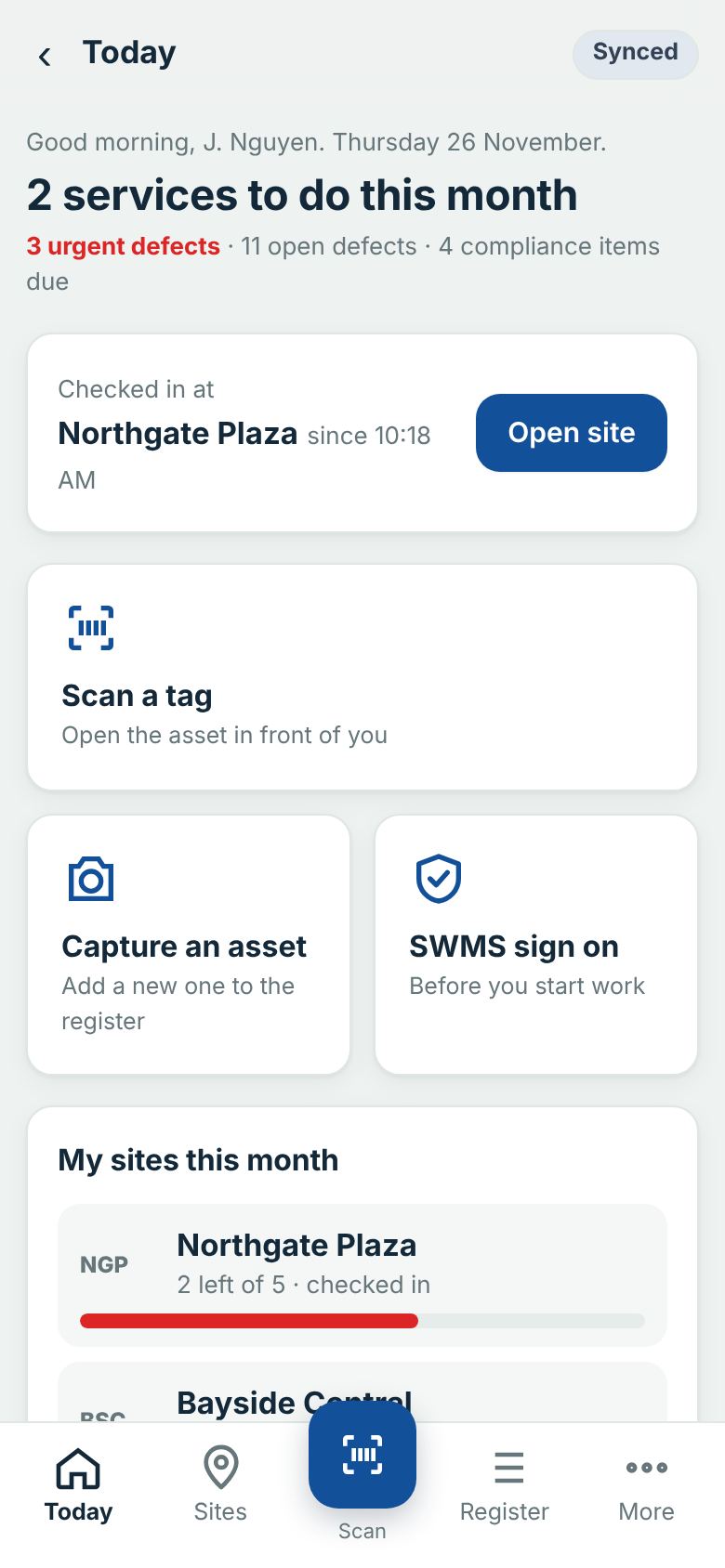
How it works on site
Built around the way a maintenance visit actually runs, so techs use it without being chased.
Capture and tag the asset
Take a photo of the nameplate. Make, model and serial fill in, the asset gets its ID from your client's naming rule, and a QR label goes on the unit.
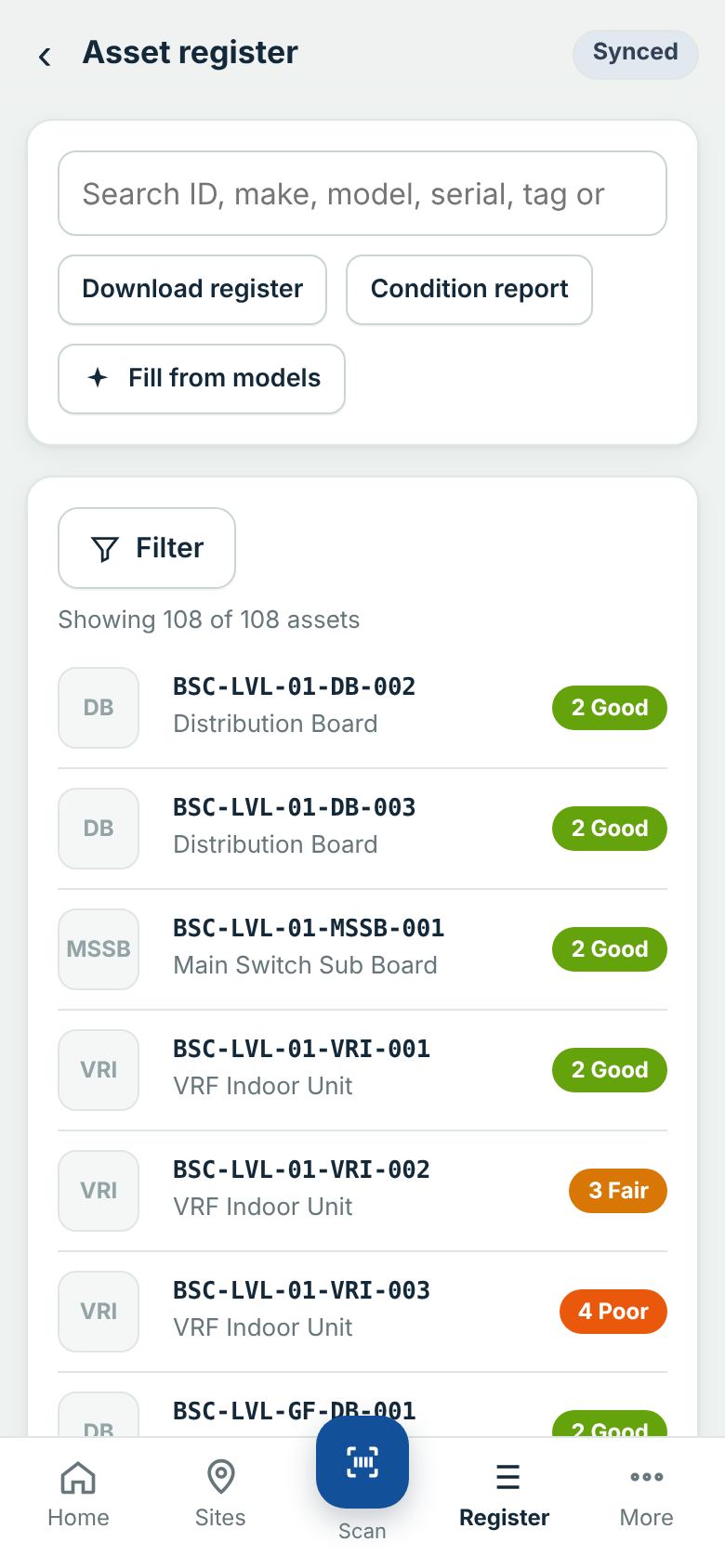
Service it and log defects
Tick off the tasks for that visit. Anything wrong becomes a defect with a photo and priority, ready to quote while you're still on the roof.
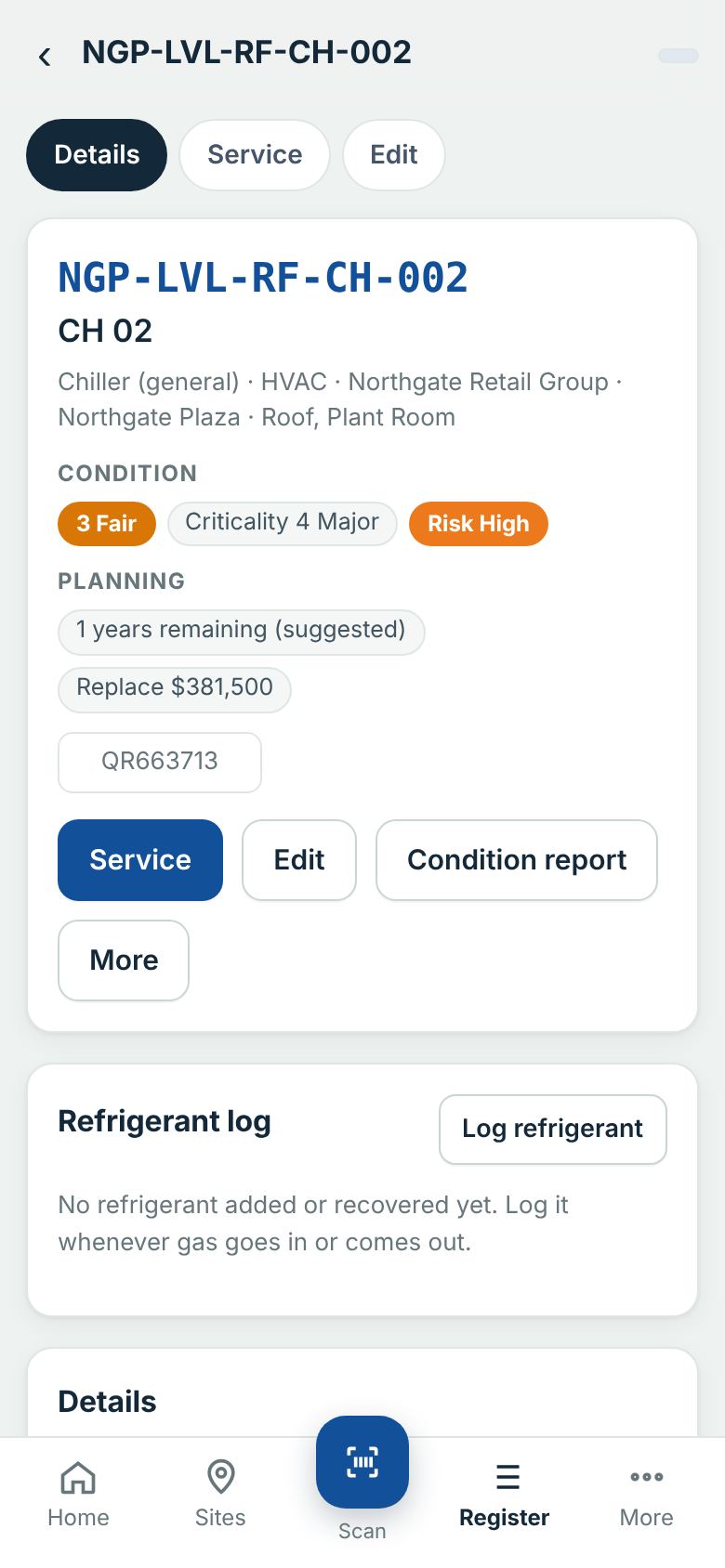
Your client sees it live
The client logs into their own portal: every asset, photo, defect and report, with quotes to approve in one tap.
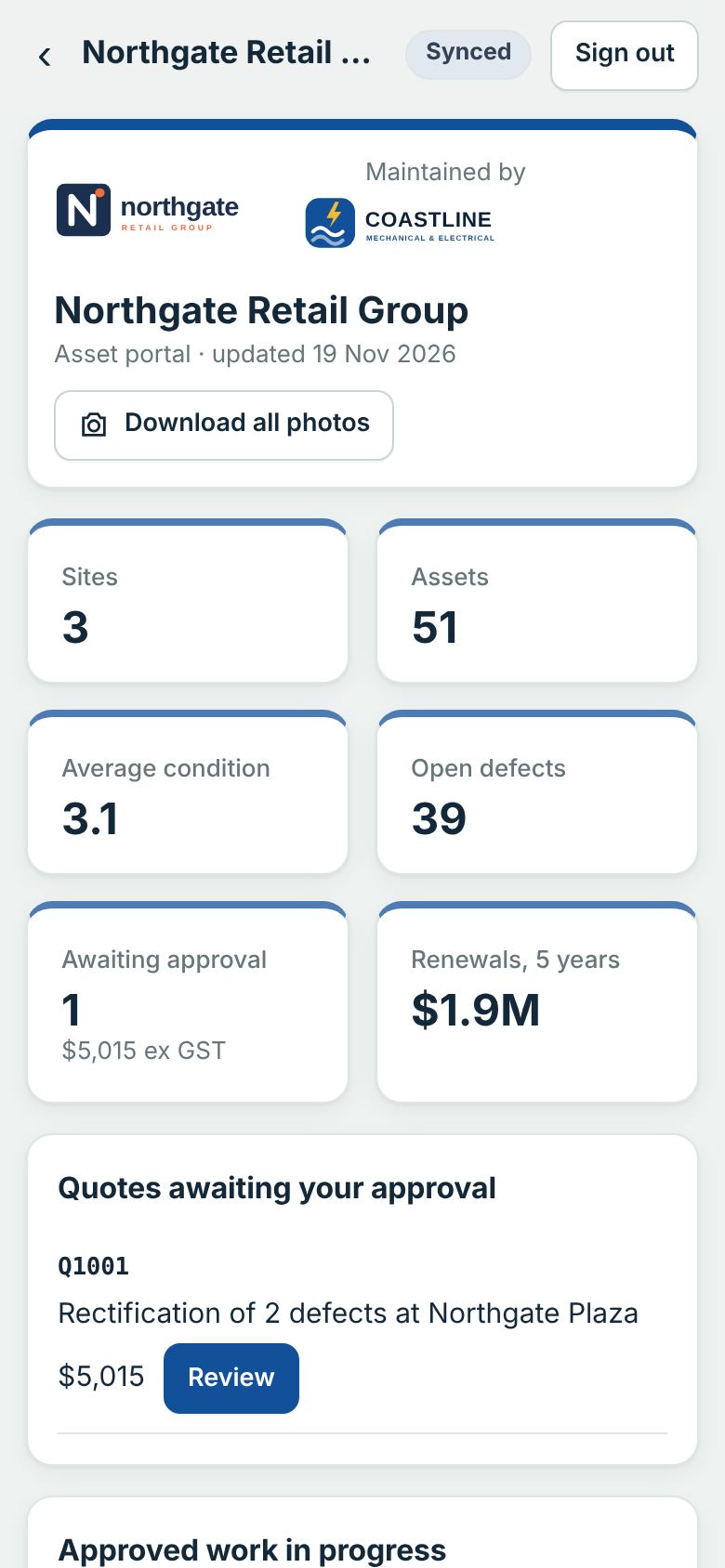
What keeps you on the contract
Job software gets the work done. TradeCore also shows the client what they're paying for.
The register belongs to the client
Building owners get an accurate register with photos and service history, and can download it any time. Contractors who can show that win and keep contracts.
Defects turn into quotes
Defects found on site go straight onto a quote. TradeCore chases quotes that go quiet and shows your win rate, so money isn't left on site.
Compliance without the folder
Maintenance plans by month, compliance due dates, SWMS sign on and thermal scans, all kept with the asset they belong to.
Refrigerant records ready for ARC
Log gas added and recovered on each unit, plus cylinders, quarterly equipment checks and handling licences. One tap builds the audit pack.
Capital planning your client will read
Condition, remaining life and replacement cost roll up into a capital plan, so next year's replacements are proposed by you, not someone else.
Fits how you invoice
Approved work exports as draft invoices for Xero or MYOB. Works offline on site and sends when there's signal.
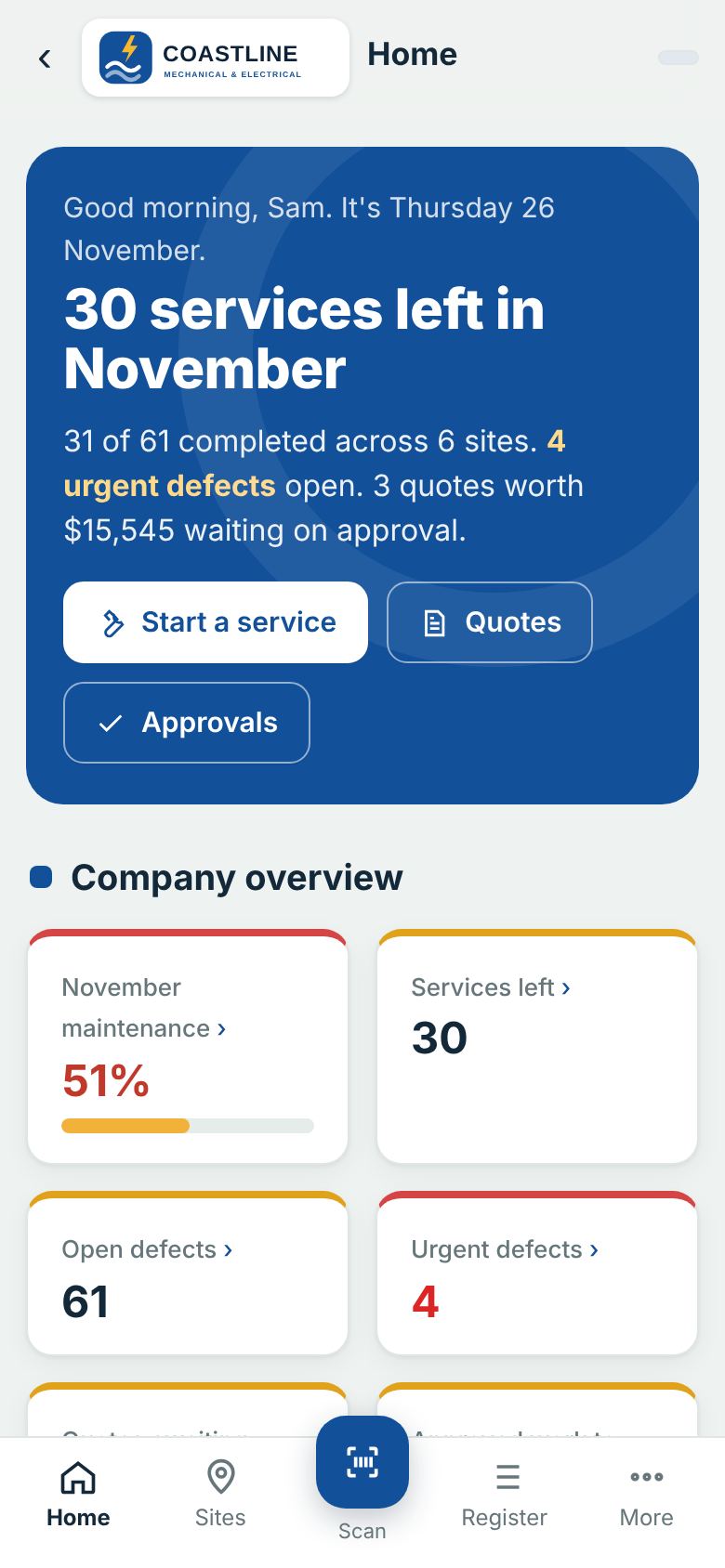
See the whole month on one screen
Services left, urgent defects, quotes waiting and compliance overdue, coloured by what needs action. Tap any number to see the list behind it.
- Monthly maintenance reports built from what techs recorded
- Condition reports and registers with photos, ready to send
- Two step sign in on every account, data stored in Sydney
One price per company
No per user charges creeping up as you hire. Prices exclude GST. Pay yearly and get two months free.
Starter
Up to 3 users
- Asset capture and QR tags
- Registers with photos
- Defects and photos
- Works offline
Pro
Up to 10 users
- Everything in Starter
- Quotes, approvals and follow ups
- Client portal
- Service dockets and reports
- Xero and MYOB export
Business
Up to 25 users
- Everything in Pro
- Thermal scans and compliance
- SWMS sign on
- Refrigerant records
- Priority support
The free trial includes every feature for 14 days. Reports, registers and photos can be viewed during the trial and download once you subscribe. Your data stays exactly as it is when you do.
Start your free trial
Tell us who you are and we'll set up your company, usually within one business day.
- We create your account and send your sign in.
- Upload a client's existing register, or start capturing on site.
- Invite your techs. They just need a phone.
Questions
Does it work without signal?
Yes. Everything a tech captures is saved on the phone first and sends when there's signal. The top of the screen shows anything still waiting to send.
Do my techs need to install anything?
No. TradeCore runs in the phone's browser and can be added to the home screen like an app. It works on iPhone and Android.
Can I bring in my client's existing register?
Yes. Upload their Excel or CSV register and TradeCore builds the sites and assets, with anything that needs checking flagged for the next visit.
Where is our data stored?
In Sydney. Every login uses two step sign in, and each client only sees their own sites.
What happens when the trial ends?
Choose a plan and keep going with everything as it is. If you don't, your account is paused, not deleted, and you can come back to it.
Does it replace simPRO, AroFlo or ServiceM8?
It can, for maintenance contracts. Many firms keep their job software for scheduling and invoicing, and use TradeCore for the asset register, defects, compliance and the client portal.